Dock-safe tide & depth predictions — at a glance.
DockTides combines tidal patterns with real-world adjustments so you can see when conditions are safe (green), tight (yellow), or too shallow (red) for your boat.
Important: DockTides is informational only. Always use official sources and independent judgment for navigation and safety.
What you get
Fast answers when you're standing on the dock: how deep is it, and is it safe for my draft?
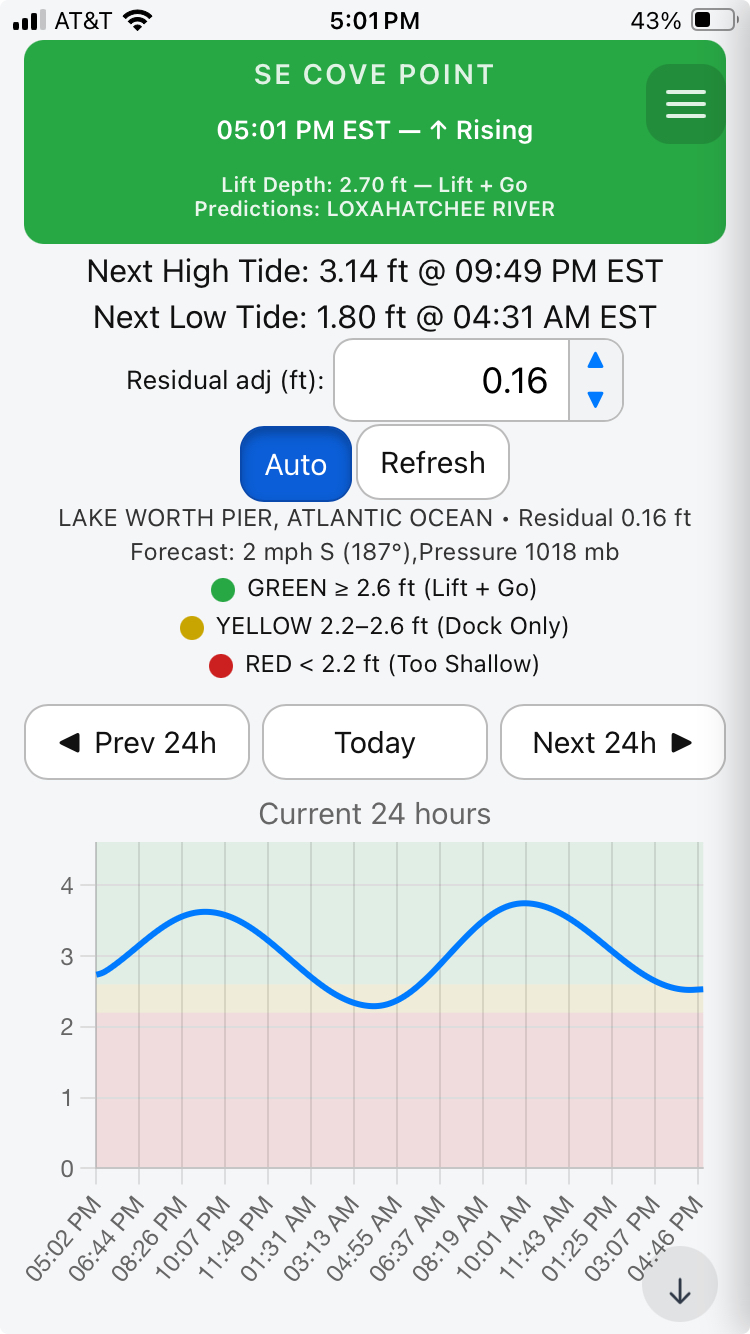
Draft-aware safety zones
Set your boat's draft once. The chart automatically shades green/yellow/red to match your clearance.
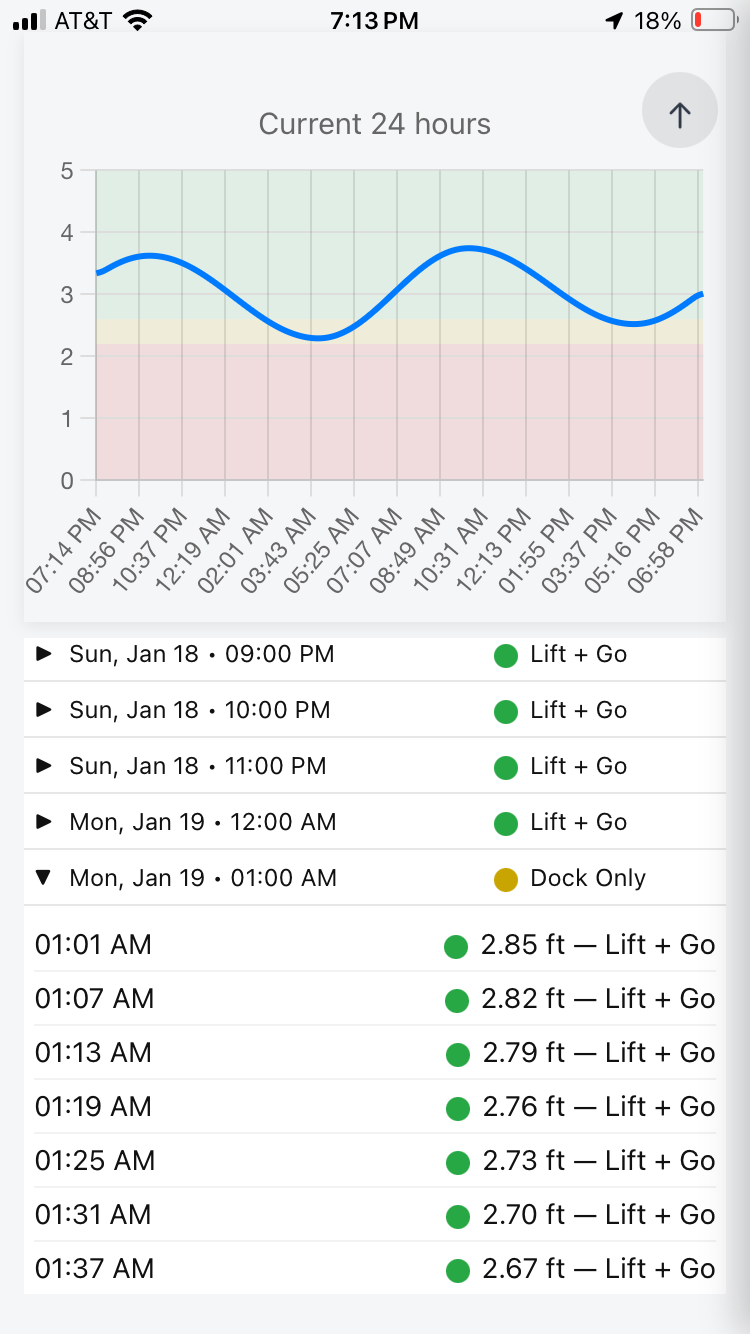
24-hour view + navigation
Prev 24h, Today, Next 24h. See the whole tide swing and the tight windows in seconds.
Auto residual adjustment
Local wind/pressure can push water up or down. Auto mode pulls residuals from nearby stations to stay aligned with reality.
Simple, readable UI
Big numbers, clear trend (rising/falling), and quick next-high / next-low timing.
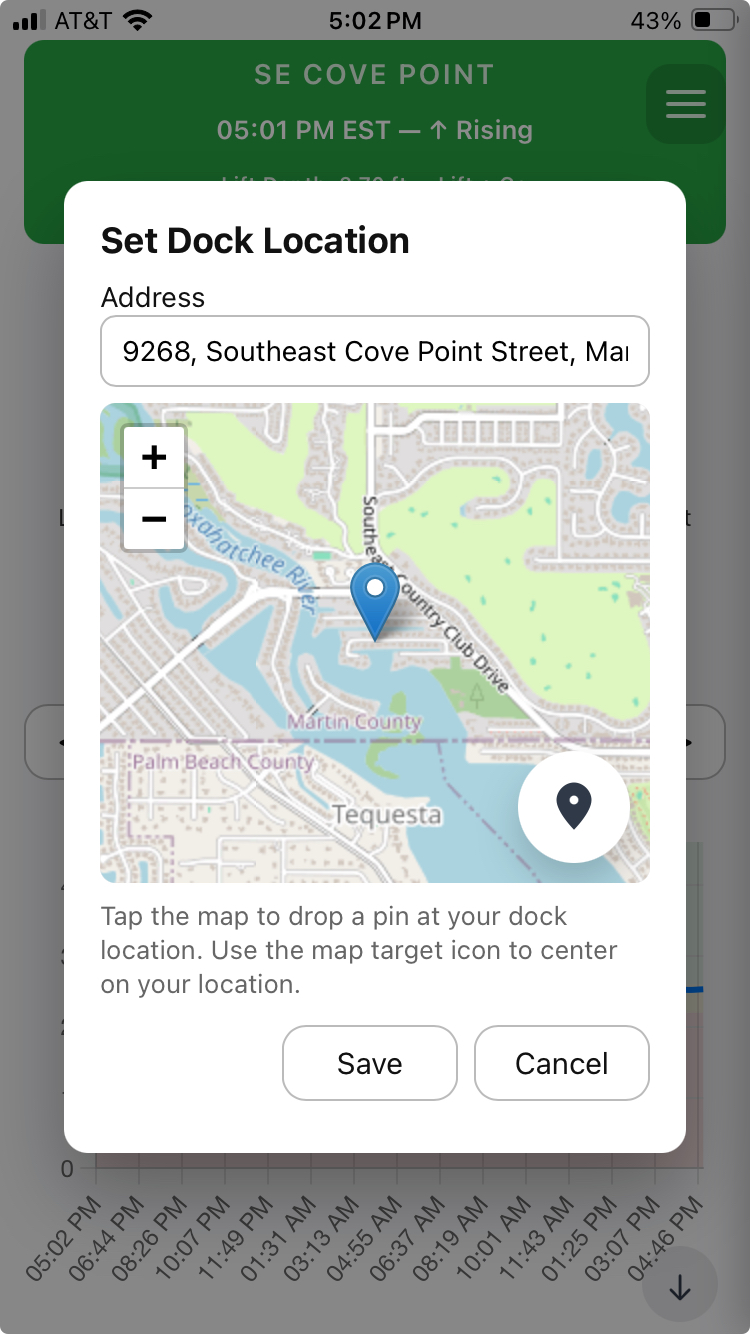
Dock location setup
Search an address or drop a pin. DockTides validates nearby stations and refreshes data automatically.
Calibration-ready
Designed to support adding measured depths over time to improve dock-specific predictions.
Hyper-Localized AI Depth Calibration
DockTides goes beyond published tide tables to deliver the most accurate dock-level water depth available — calibrated to you.
Traditional tide apps rely on distant NOAA stations and assume uniform conditions. DockTides corrects that assumption by continuously calibrating predictions to your exact dock location and real-world conditions.
- NOAA tide predictions as a baseline reference
- Station-to-dock residual offsets unique to your location
- Observed high/low bias learned over time
- Atmospheric pressure effects that suppress or elevate water levels
- Wind direction and strength influencing local setup and drawdown
- River and inlet flow effects where applicable
- User-specific clearance calibration based on what actually clears your boat
By combining these factors, DockTides uses AI-driven optimization to reduce prediction error at the dock — not miles away at a reference sensor.
This is the first and only dock-focused, hyper-localized water depth prediction system available.
Screenshots
How DockTides works
A practical workflow you can explain to any boater in 20 seconds.
1) Set your dock
Pick your dock location by address search or dropping a pin. The app validates nearby tidal stations and loads the forecast window.
2) Set your draft
Enter draft once (in inches). DockTides converts it and uses it to compute green/yellow/red thresholds automatically.
3) Adjust to reality
Use Residual adj (ft) when local conditions shift depth. Tap Auto to pull residuals from nearby monitoring stations.
Interpreting the colors
The exact thresholds come from your draft value.
Green: generally safe to use your dock and lift.
Yellow: tight window — proceed with caution.
Red: too shallow — your boat requires more water at this location.
DockTides is informational only; always consult official sources and use independent judgment.
Contact
Questions, bug reports, feature requests, partnerships — send it.
Support
Fastest: email with your dock location + a screenshot.
Email: info@docktides.com
Website: docktides.com